Get Thy Bread · first run, 1.0.13

Built app on an empty profile, account server mocked, captured with Playwright at real window sizes

The first run of Get Thy Bread as it is in 1.0.13, captured from the built app on an empty profile with the account server mocked. Real window sizes: the main window at 1200 by 820, the menu-bar popover at 380 by 480.

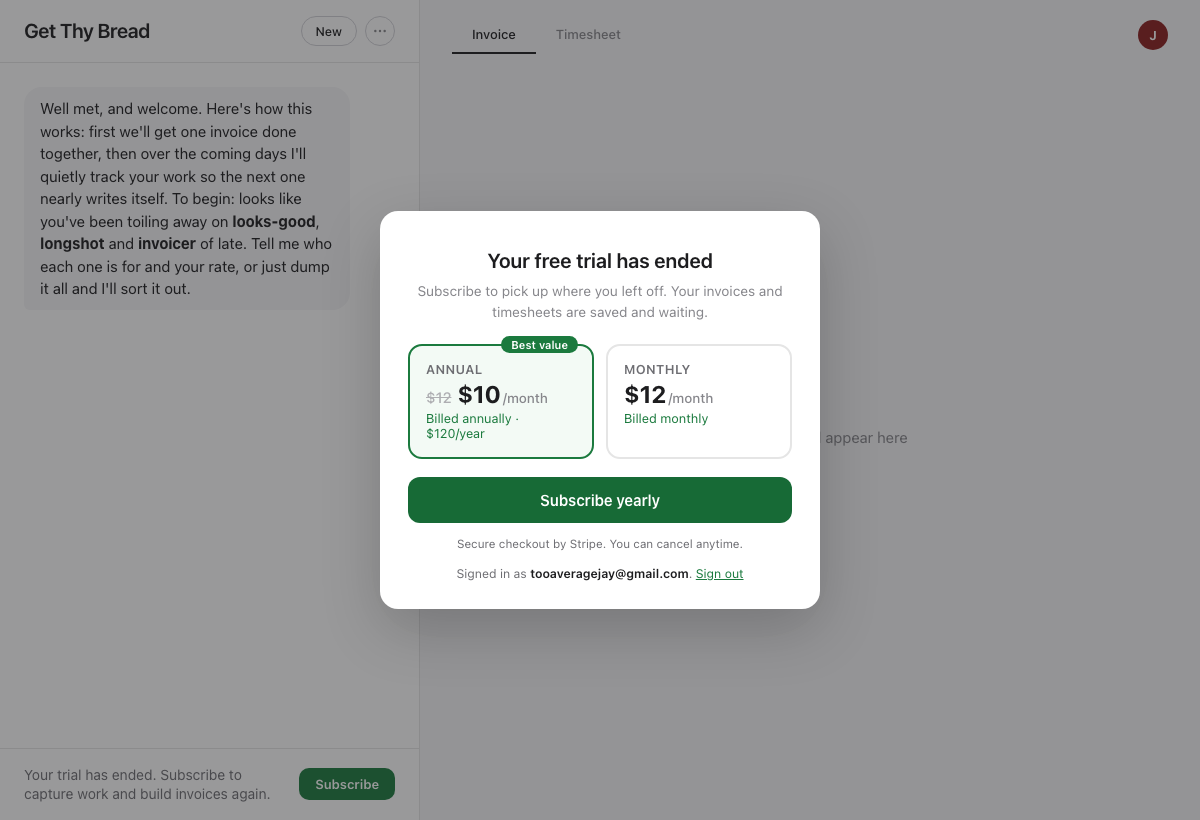
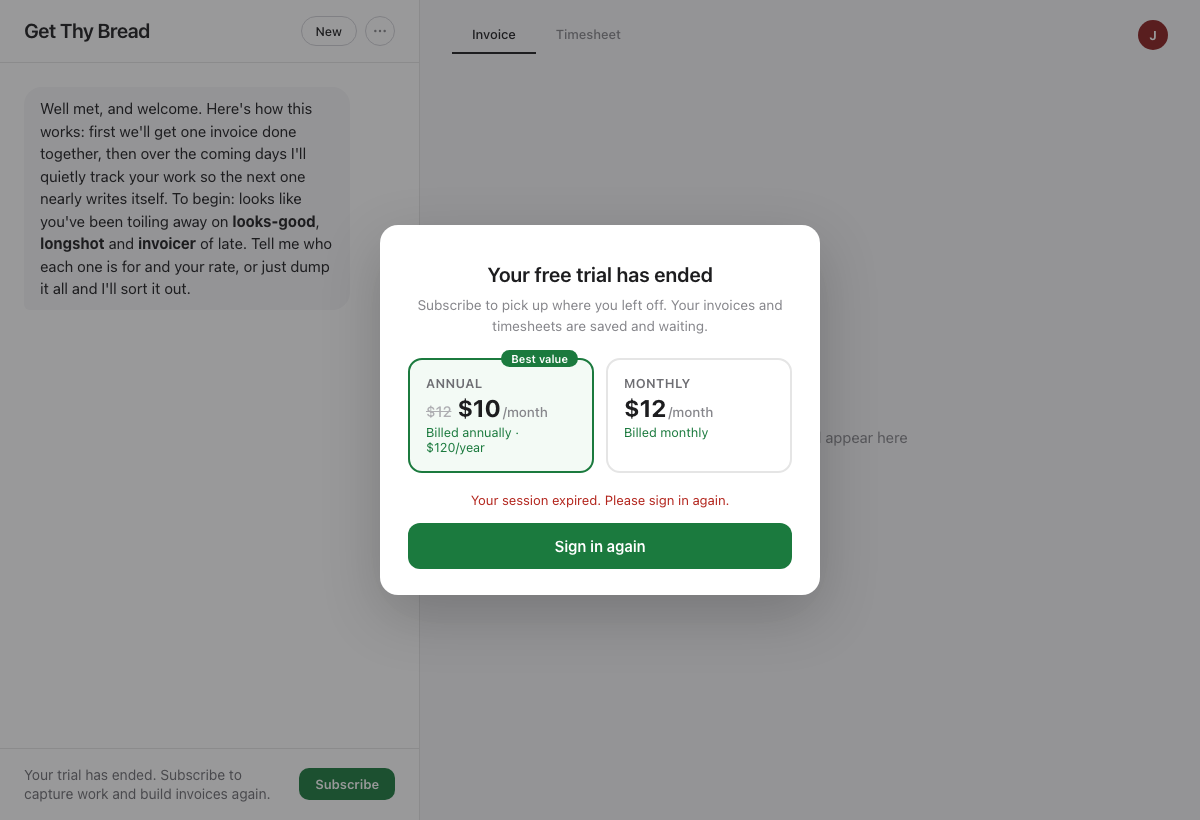
What the fresh Mac showed on 2026-08-26, and what changed: the app launched into the popover ("1 of 11 to review", "Capture failed, no projects") instead of the main window; macOS folder-permission dialogs stacked on top of the welcome card before sign-in; signing in with an account whose trial had already run out showed a paywall that never said which account, whose Sign out did nothing, and whose Subscribe printed "Your session expired" under a button that could only print it again.

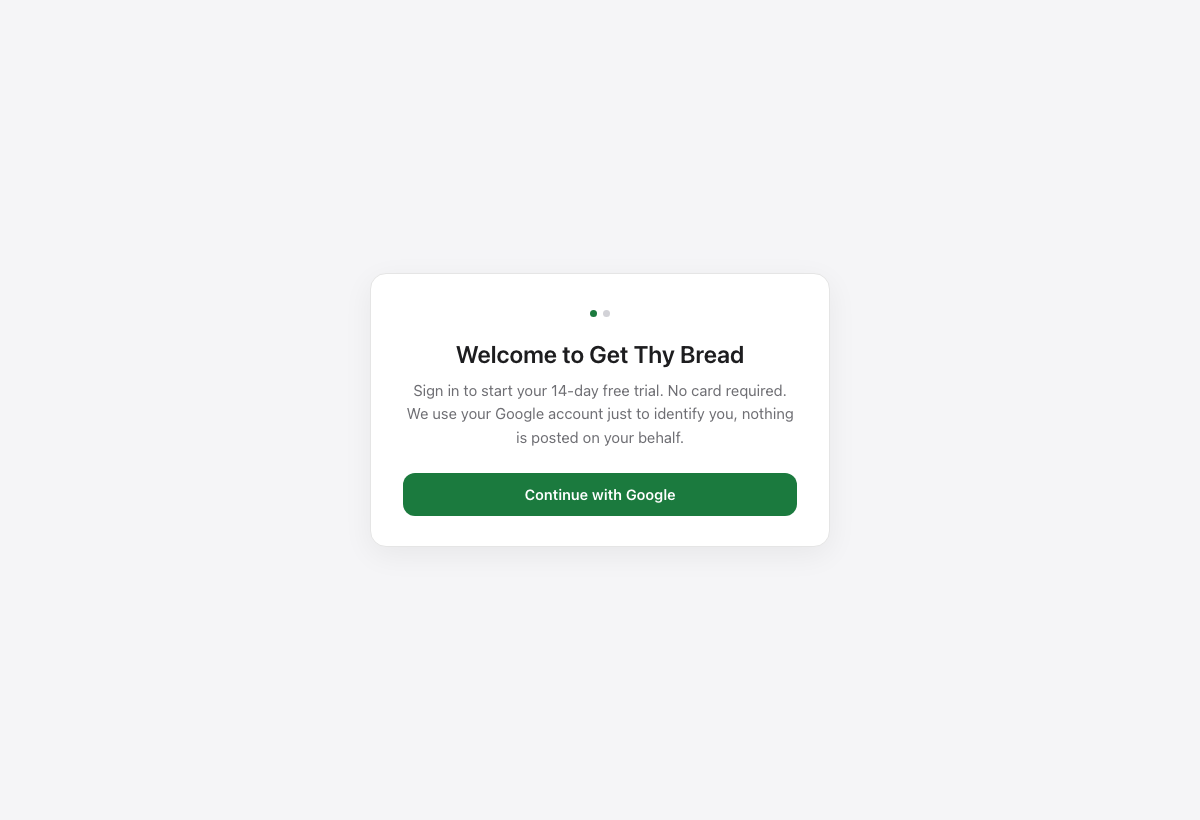
Now: a fresh profile opens the main window on the welcome card, nothing asks for folders until you allow local access, the popover stays quiet until the first project exists, the paywall names the account, Sign out returns to the welcome card, and a dead session offers Sign in again.

The 14-day trial is unchanged: one per Google account. tooaveragejay@gmail.com used its 14 days in July, which is why the new Mac went straight to the paywall. A never-seen Google account lands on state 4.

States
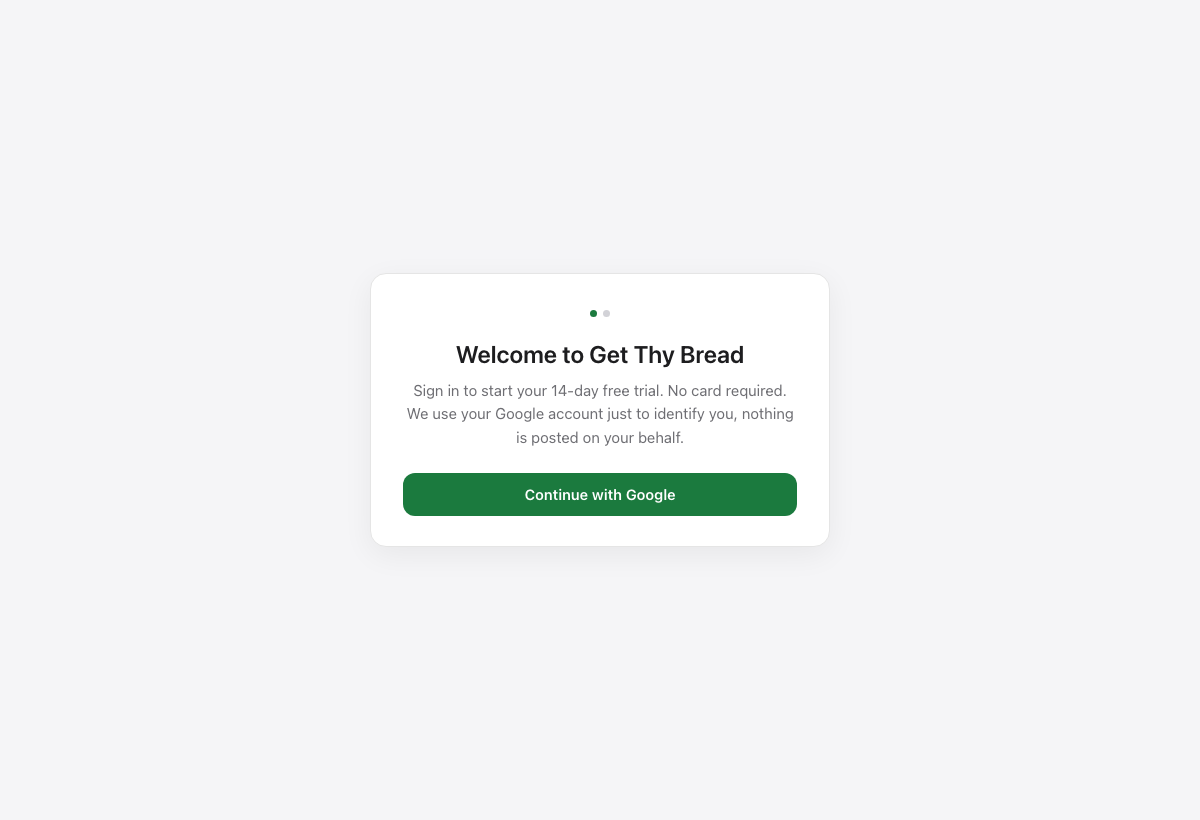
1 · Launch. A fresh install opens the main window on this card. Nothing else pops, nothing asks for folder access yet.
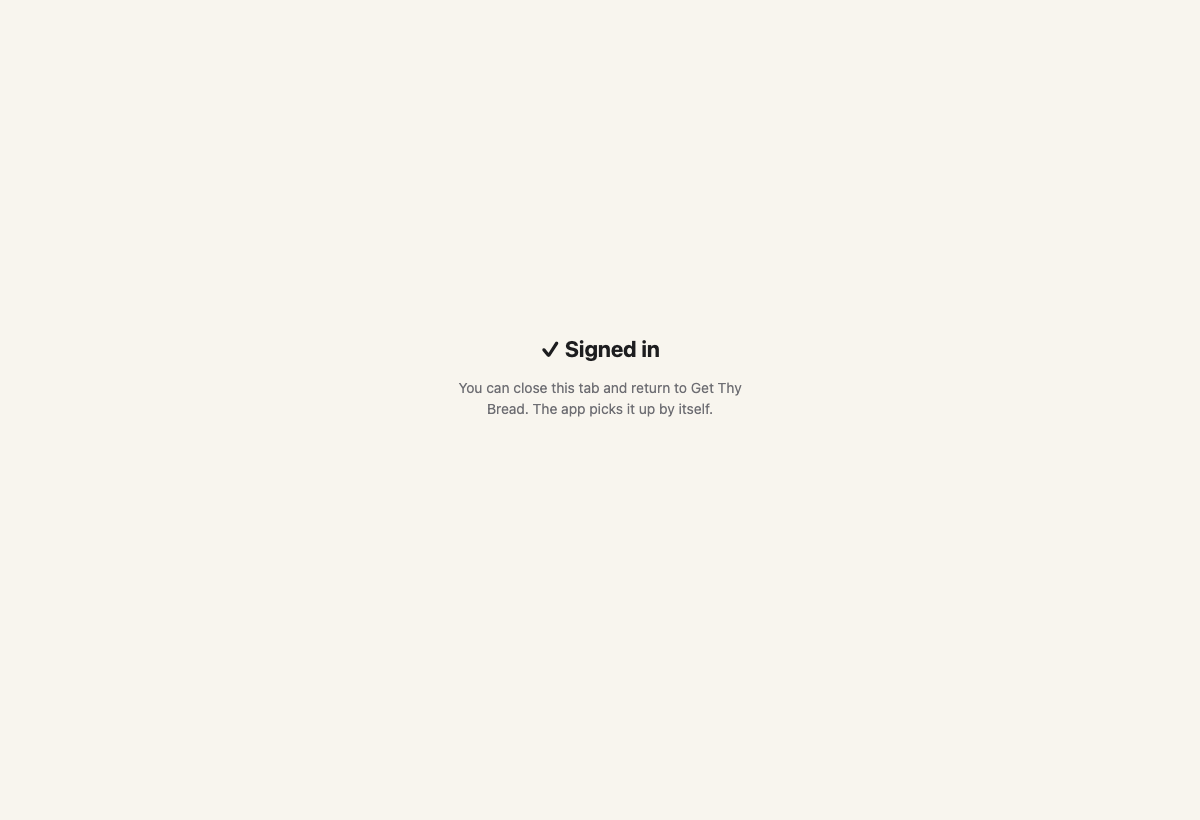
2 · Continue with Google opens your real browser. After Google, this tab appears and the app picks the sign-in up by itself. You close the tab.
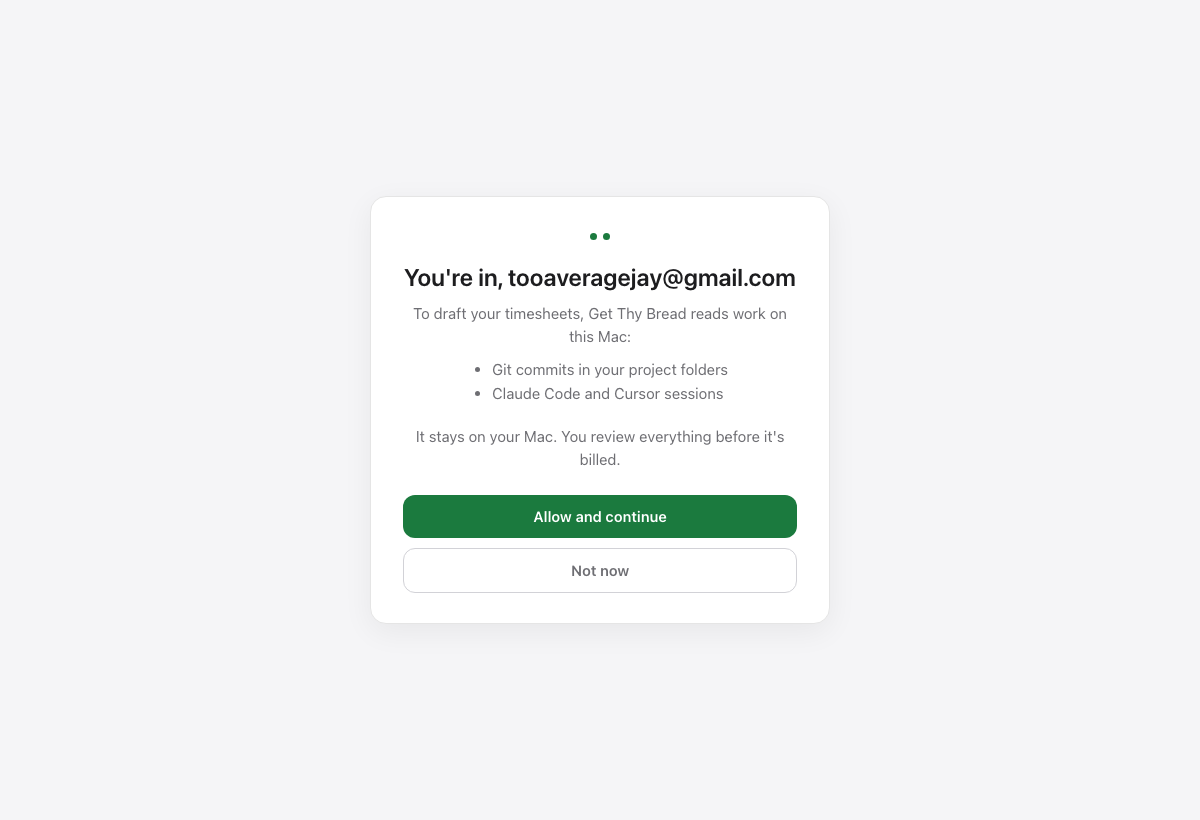
3 · Back in the app: the local-access step, naming the account you just used. Only after Allow and continue does the app look at your folders (this is where macOS asks about Desktop and Documents now, not over the welcome card).
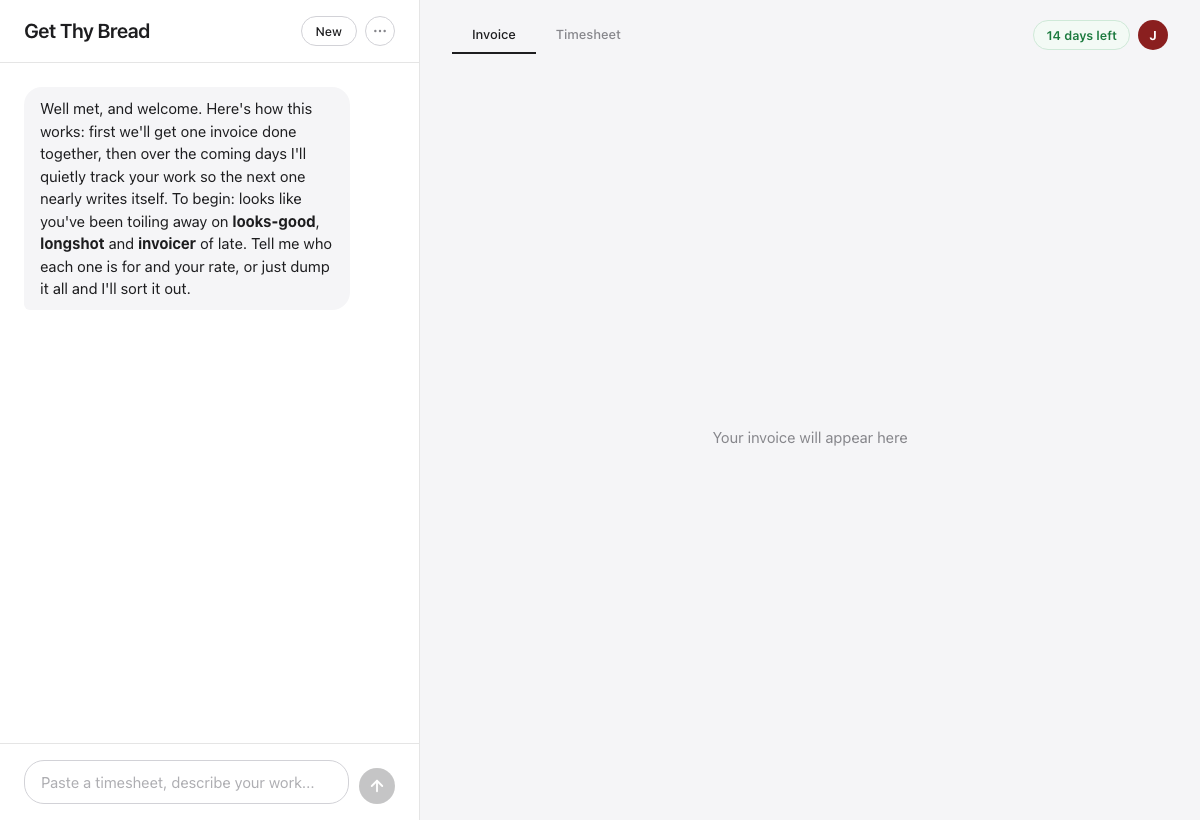
4 · Onboarding is the chat: business, client, rate, or dump everything. The pill top-right shows the 14 days. A fresh Google account lands here.
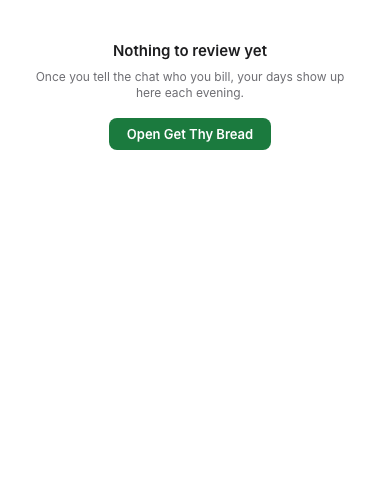
5 · The menu-bar popover before any project exists. Was: an eleven-day queue of empty days and "Capture failed". Now it points at the main window and orders no capture.
6 · What you hit on the new Mac: an account whose trial already ran out. It now says which account, and Sign out actually works.
7 · If the session is dead the button becomes Sign in again, instead of the expired-session line under a Subscribe button that could only print it again.
8 · Sign out (or Sign in again) lands back on the welcome card, ready for the right Google account.